Before You Start
- Double-check that you connected the correct StaFi Chain account before signing.
- Make sure your Ethereum wallet address is the one you want to receive the migrated tokens with. Prepare a small amount of ETH on that address (about 0.001 ETH is enough) to pay gas for the claim transaction.
- Only sign the migration request after confirming the wallet addresses and token amount are correct.
Connect your Polkadot wallet
Go to https://app.stafi.io/migration/fis/ and click “Connect Polkadot Wallet”.
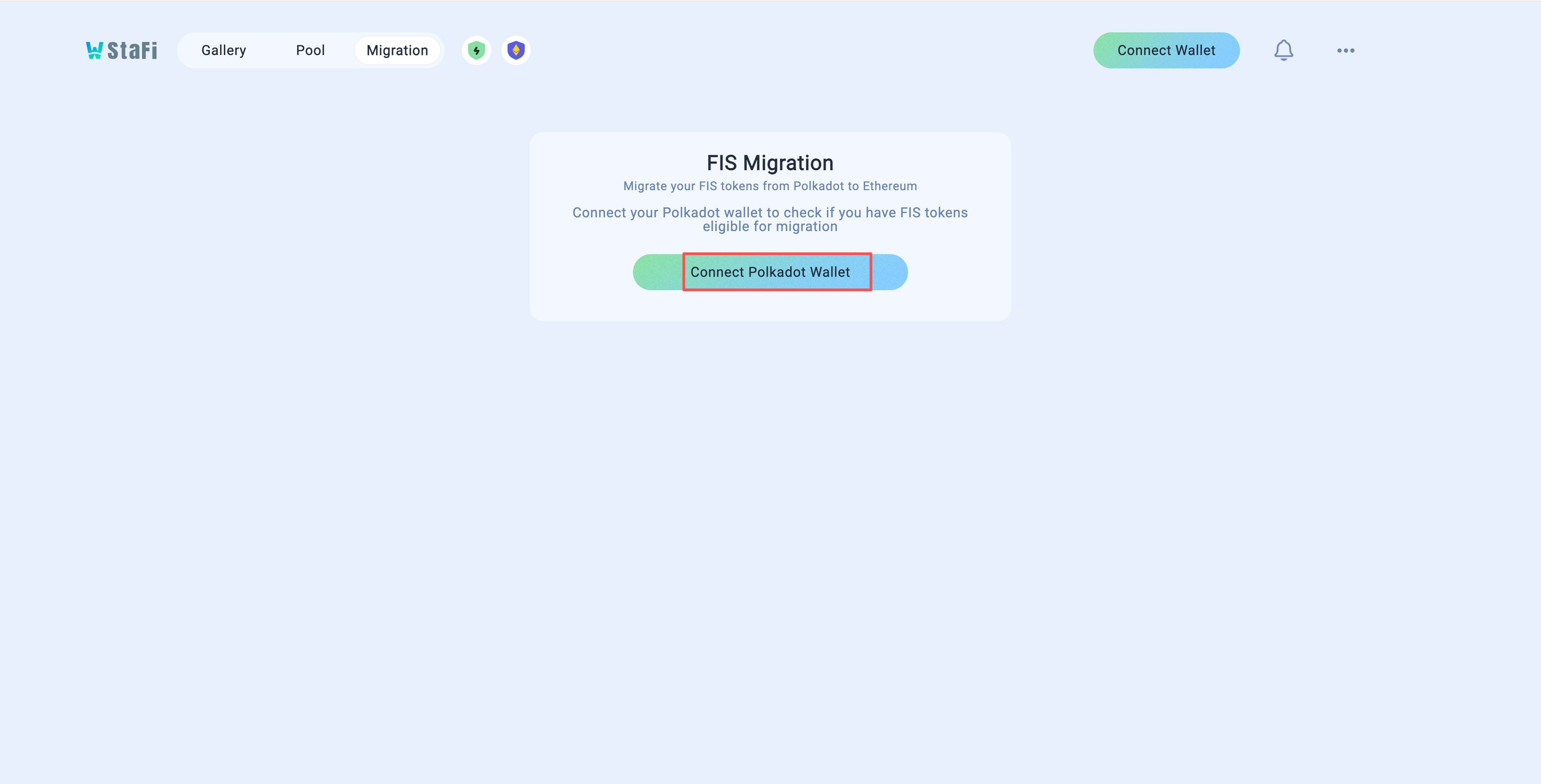
Note: Make sure you select the StaFi Chain account holding the $FIS you want to migrate in your Polkadot wallet.
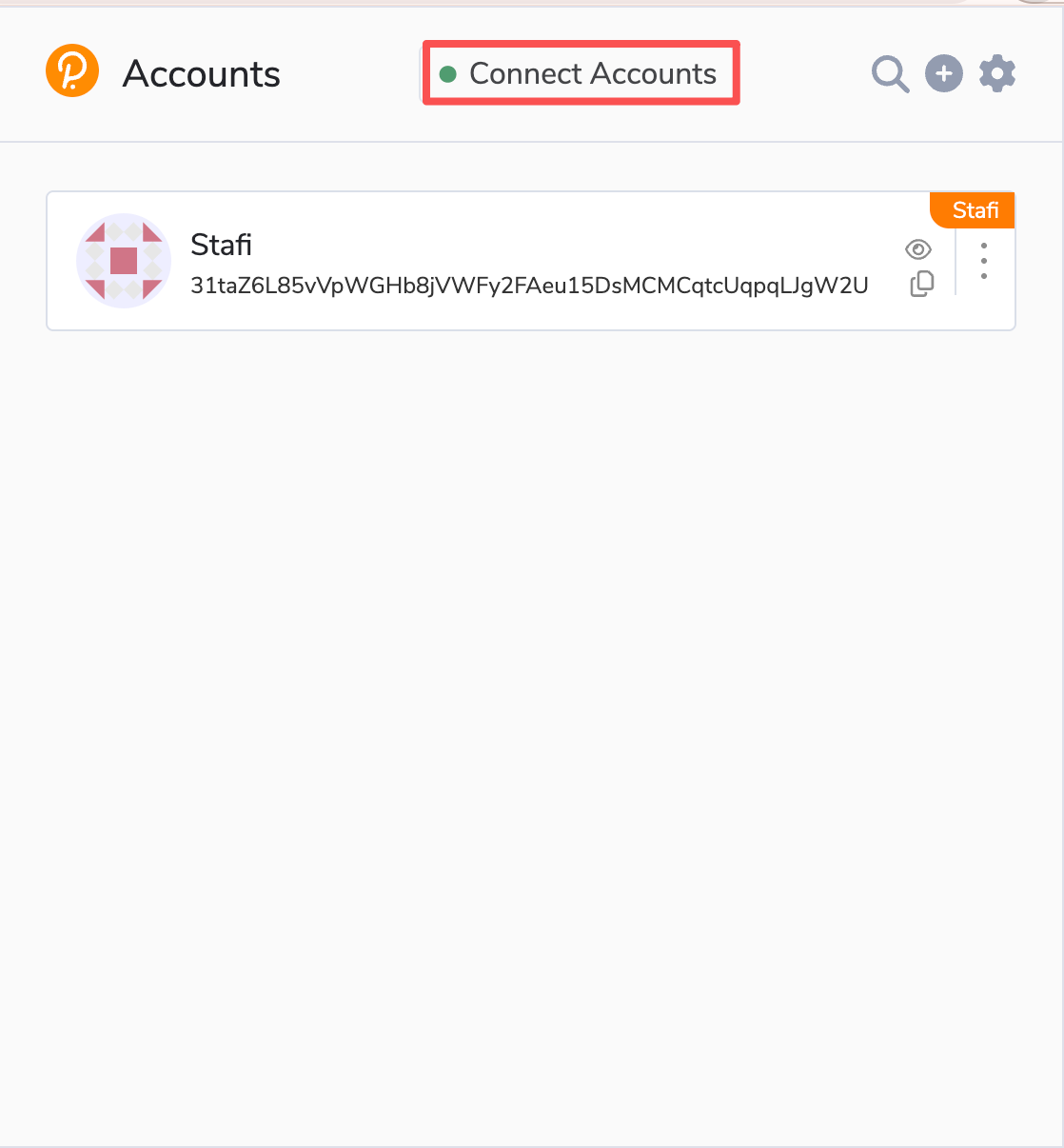
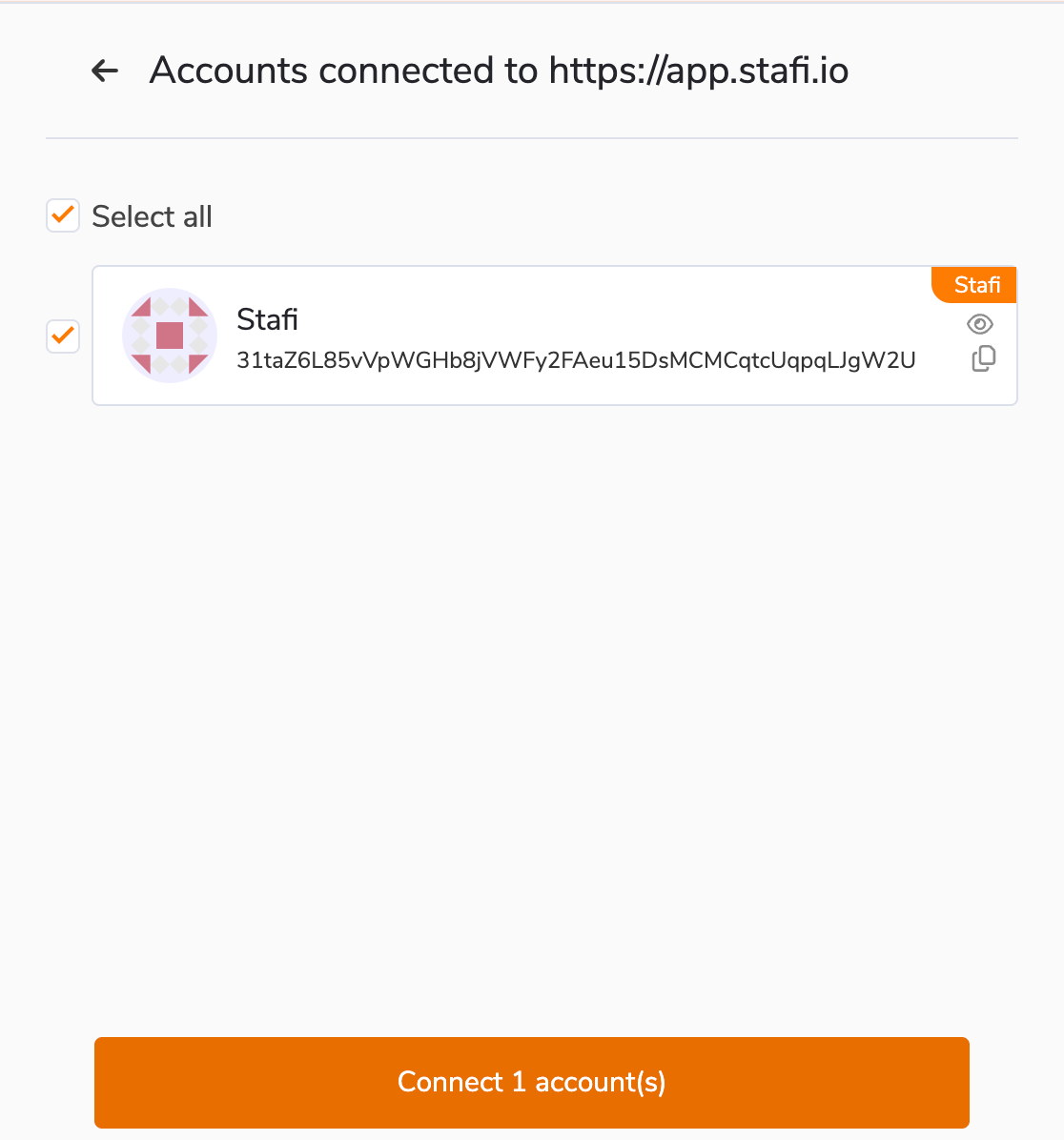
Connect your Ethereum wallet
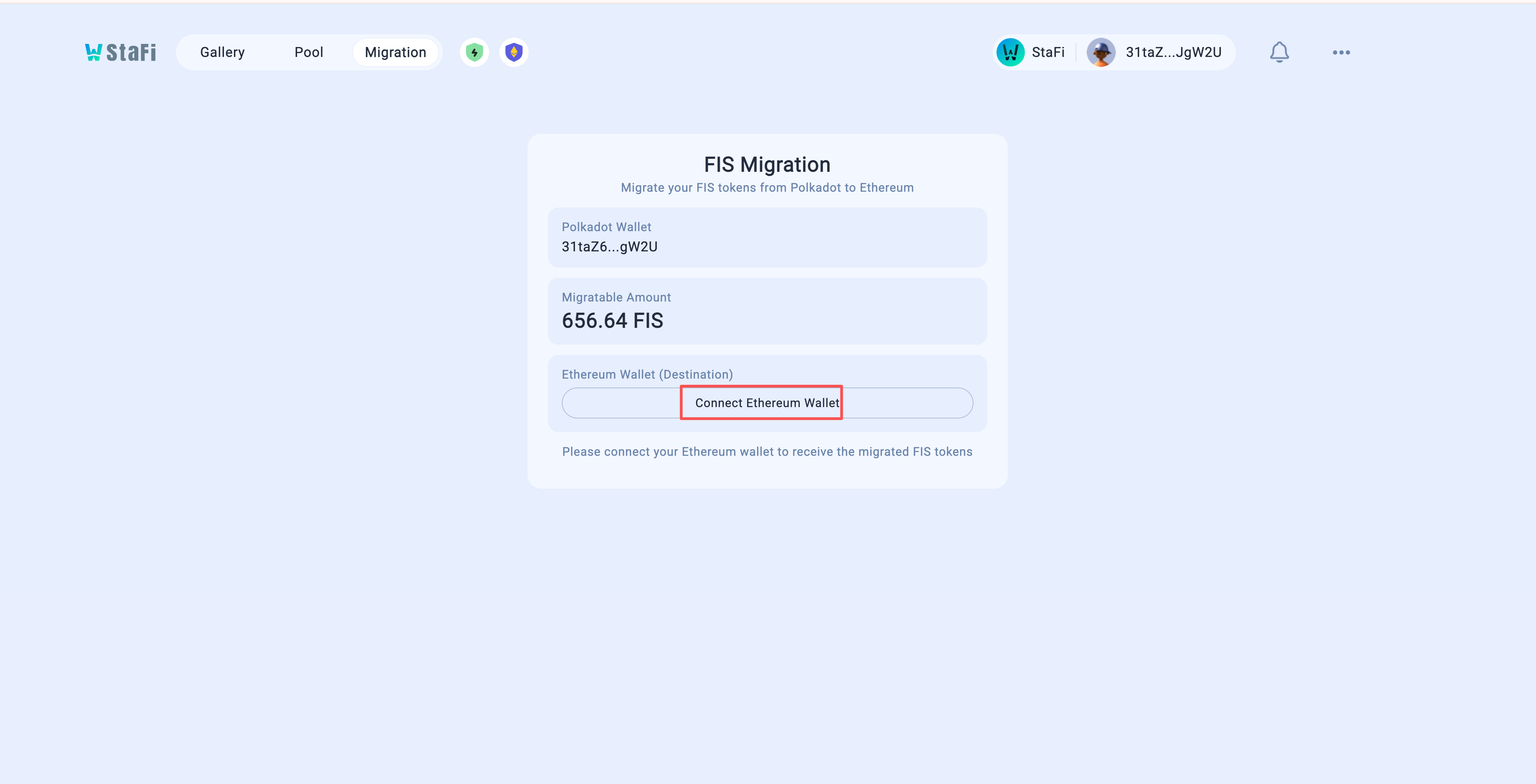
Click “Connect Ethereum Wallet” and connect the Ethereum wallet that will receive your ERC-20 $FIS. That address should already hold a little ETH (about 0.001 ETH is enough) so you can pay gas when you claim on Ethereum.
Confirm and migrate
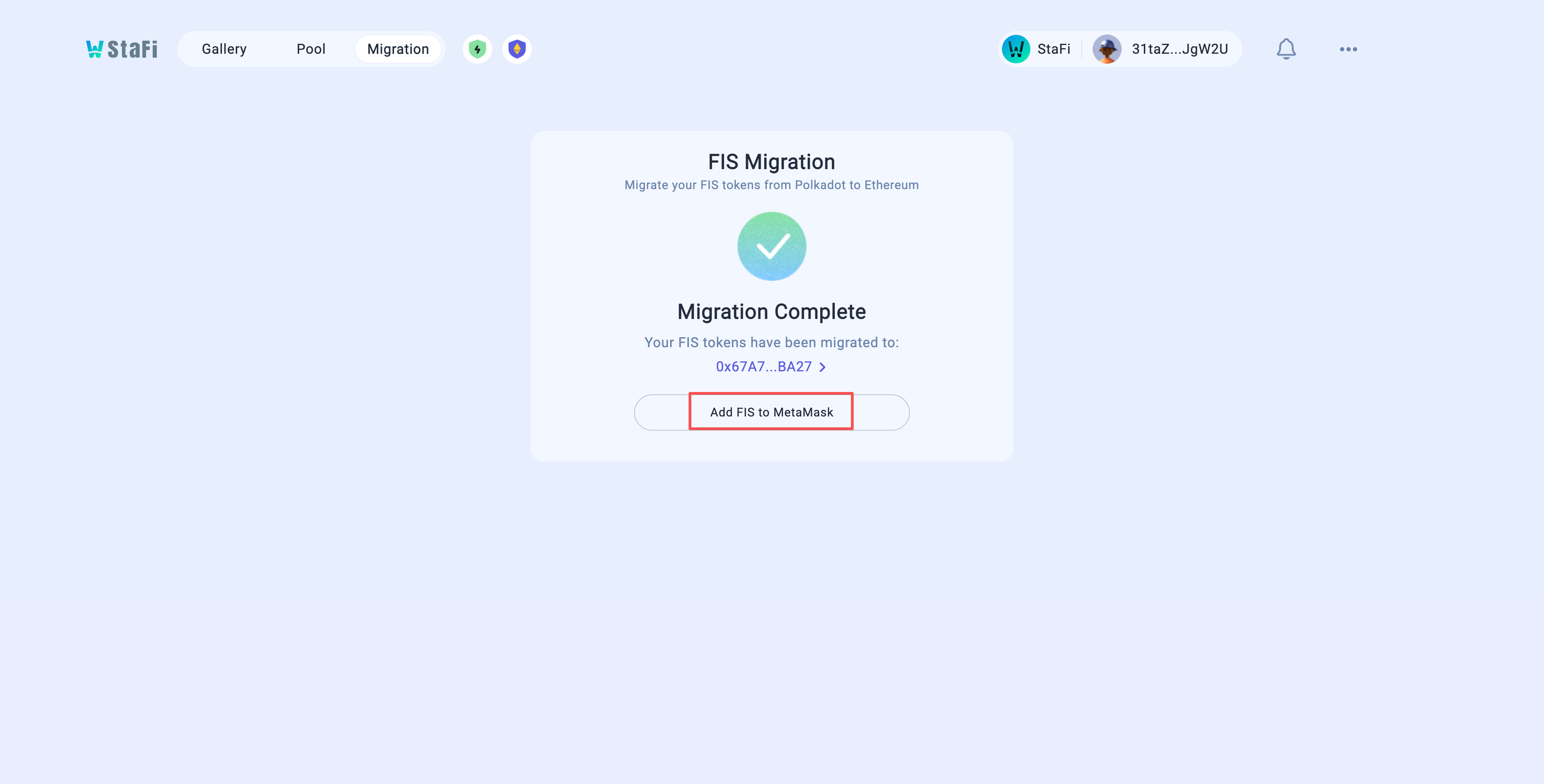
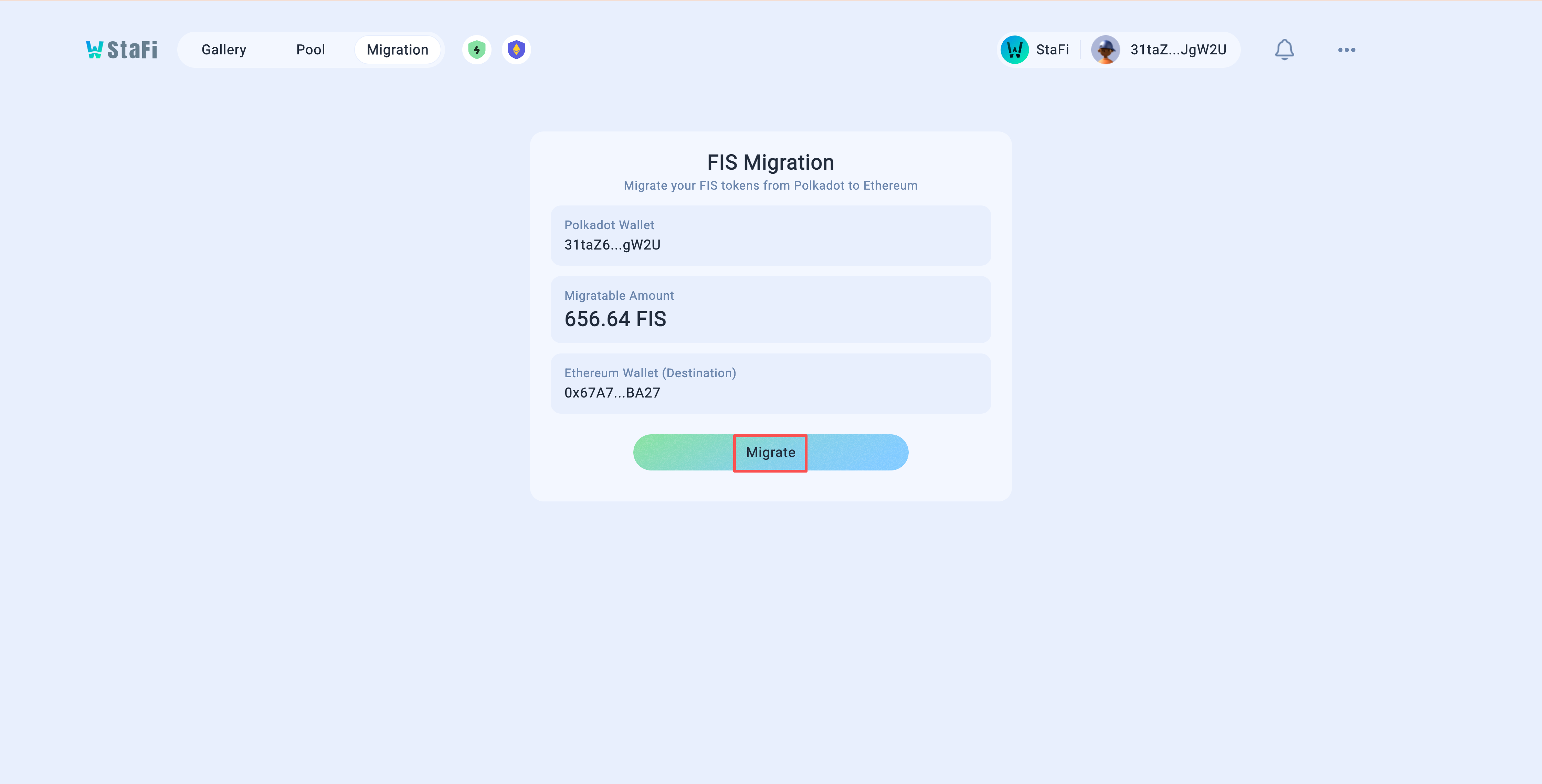
Once both wallets are connected, the interface will display your StaFi Chain address and the amount of $FIS available for migration. Click “Migrate”, then sign the request in your Polkadot wallet to complete the migration. Your $FIS will then be migrated to Ethereum.
Add ERC-20 $FIS to MetaMask
Click “Add FIS to MetaMask” to add ERC-20 $FIS to your wallet and view your migrated balance.
Token contract: 0xef3a930e1ffffacd2fc13434ac81bd278b0ecc8d